
Expense claims that follow your rules
Employees claim from the portal or app with the bill attached. Your limits are checked before a claim goes in, approvers decide it in one place, and approved amounts are paid with that month's salary.
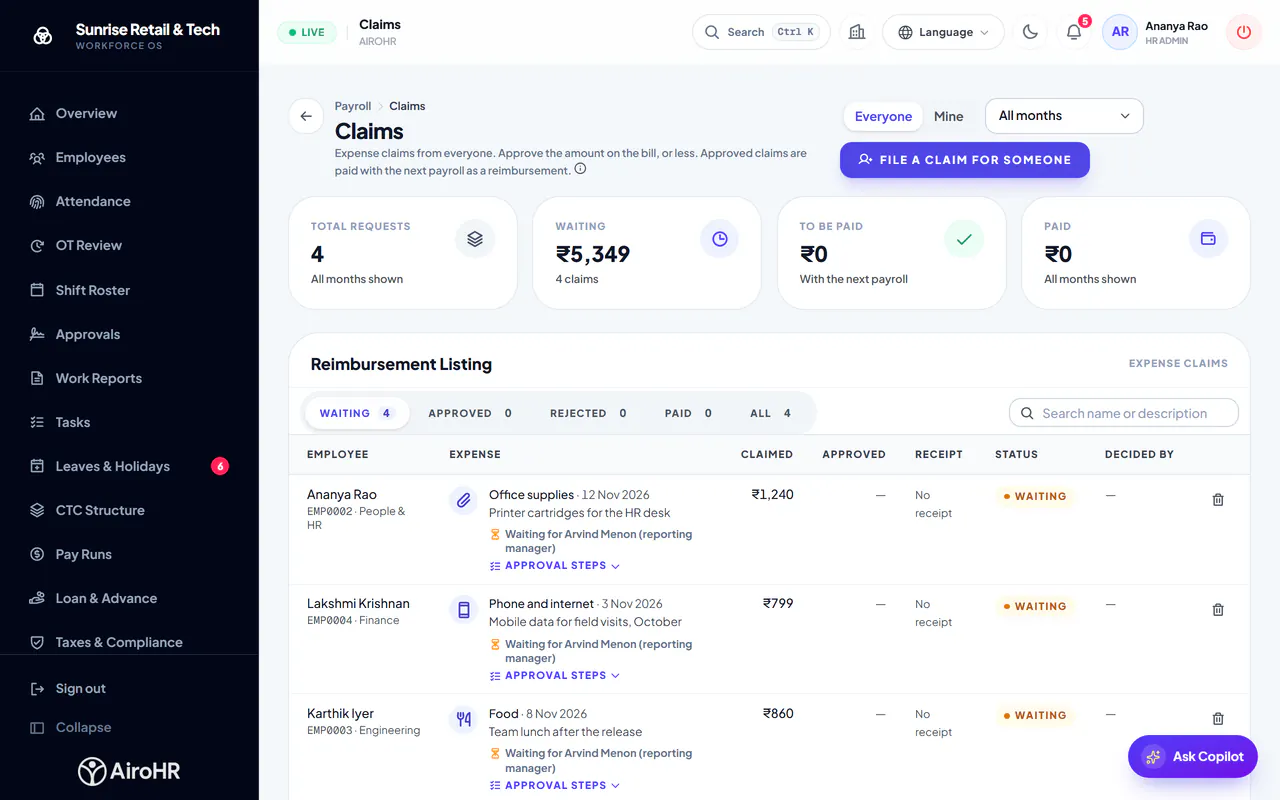
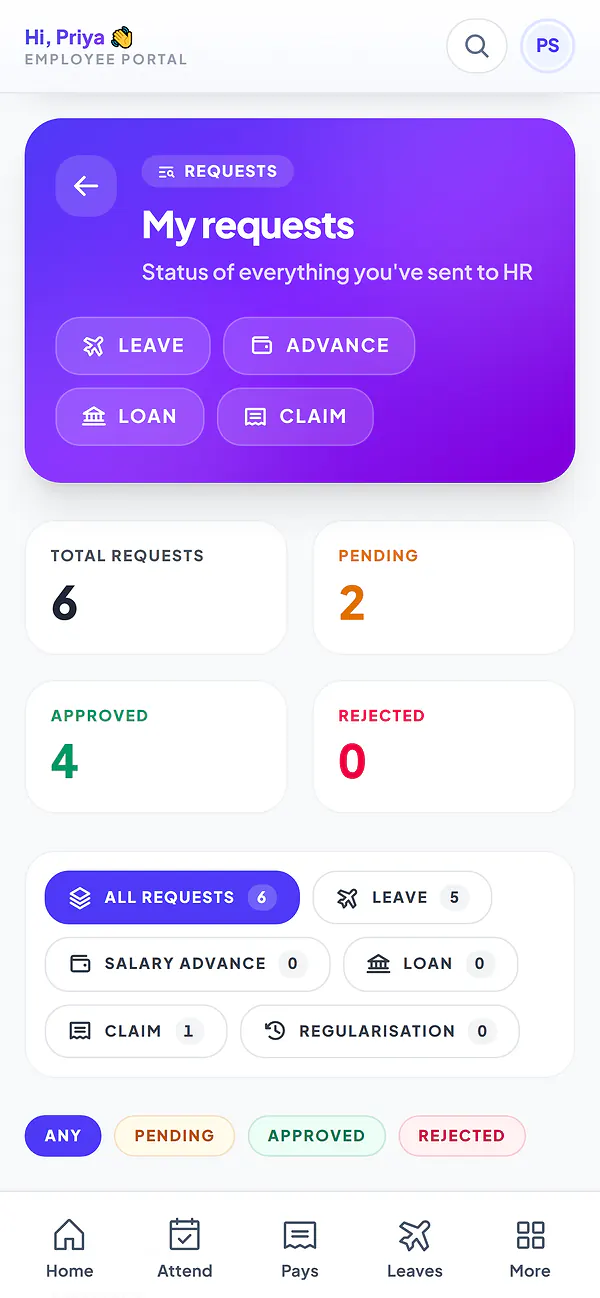
- Claims with billsFrom the app
- Multi-level approvalsStep by step
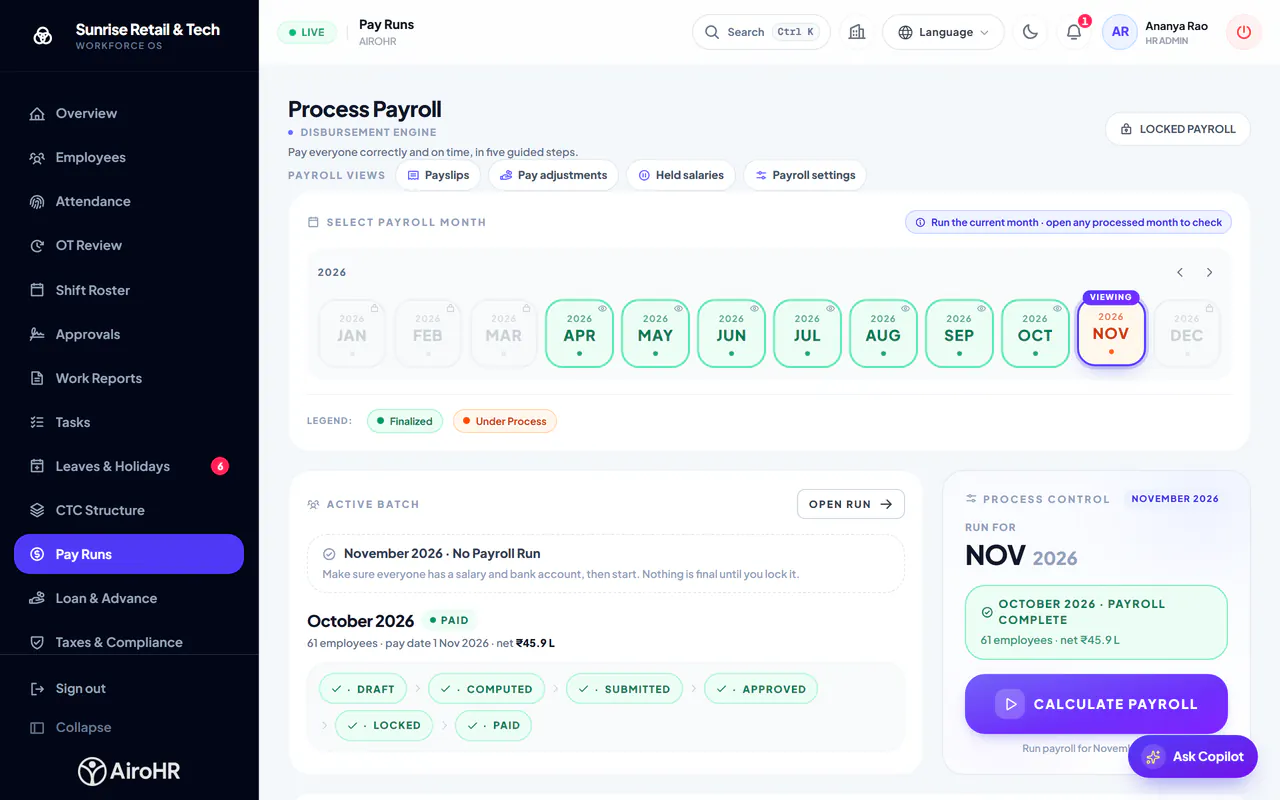
- Paid with salaryIn the next payroll
Real AiroHR screens, shown with a demo company and made-up data
- 5statutory deductions in every run: PF, ESI, PT, LWF and TDS
- 22states and union territories with Professional Tax slabs built in
- 6languages in the employee app, on Android and iPhone
- ₹59per employee a month: where plans start (GST extra)
Built for Indian statutory compliance
- PFProvident FundEPF, EPS and EDLI
- ESIEmployees' State InsuranceBoth shares
- PTProfessional TaxState slabs
- LWFLabour Welfare FundBy state
- TDSTDS on salaryThe monthly amount you set
- LCLabour CodesThe 50% wage rule
From bill to bank without the paper chase
Claims, approvals and payroll are one system, so an approved claim never has to be typed in again.
Claims from the portal or app
Employees choose a category and enter the amount, bill number, bill date and what it was for, then attach the bill as a PDF or photo.
Your own categories
Start from travel, meals, telecom, office supplies, training and wellness, add your own, and switch any category on or off.
Per-claim and monthly caps
Set a limit for each claim and for each month, category by category. A claim over the limit is stopped before it reaches an approver.
Bills where you need them
Decide which categories must have a bill attached. A claim in those categories cannot be sent without one, and approvers open the bill right from the claim.
Multi-level approvals
Send claims through one or more approval steps, each with a named approver, or let any HR admin decide.
Paid with salary
A claim approved in a month is added to that month's payroll as a Reimbursements line, in full, whatever the attendance.
Approved claims, paid with salary
Approved claims go into the next payroll as a reimbursement, beside the month's pay run. Shown for a demo company.
- Per-claim and monthly caps
- Multi-level approvals
- Paid with salary
Real AiroHR screens, shown with a demo company and made-up data
Four steps, one record
Set your rules
Add categories with their limits and bill rules in Expense Policies.
Employee claims
They see what is left in each category's monthly budget, fill in the claim and attach the bill.
Approver decides
Claims wait in Approvals with the bill number, date and file beside them, and go through each step you set.
Paid with salary
The approved amount lands on that month's payroll and shows on the payslip.
Checks before money moves
- Pending claims count toward the monthly cap, so several open claims cannot slip past it together.
- A rejected claim frees up the budget again.
- A switched-off category cannot be claimed.
- An admin cannot approve their own claim.
For your team
- Employees see the status of every claim and what is left in each category this month.
- Approvers decide in the same Approvals screen as leave, loans and salary advances.
- Finance gets a Reimbursements report in Reports.
Expenses questions, answered
Can we set different limits for different categories?
Yes. Each category has its own limit per claim, its own monthly limit and its own rule on whether a bill is needed.
What if we do not set a limit?
A category with no policy has no limit, so you can start simple and add caps later.
When is an approved claim paid?
With the salary of the month it was approved in, so a claim approved in March is paid in the March payroll. An approver can instead mark a claim to be paid outside payroll.
Is the claim reduced if the employee was absent?
No. Reimbursements are added in full, so attendance does not change them.
Which files can be attached?
PDF, JPG and PNG, so a phone photo of a bill works. Only the employee and your HR team can open it.
This page describes AiroHR as of October 2026. Steps done by employees need the employee portal or app on their plan.
Take expense claims out of email
Book a demo and we will set up a category with your limits.
Book a demo