
Shift scheduling and duty roster software that payroll trusts
Plan who works which shift on which day, rotate teams between morning, evening and night, and let every late mark, overtime hour and comp-off reach payroll without a spreadsheet in between.
- Weekly roster gridShift by shift
- Night shiftsIn the roster
- Overtime & comp-offFrom the shift
Real AiroHR screens, shown with a demo company and made-up data
- 5statutory deductions in every run: PF, ESI, PT, LWF and TDS
- 22states and union territories with Professional Tax slabs built in
- 6languages in the employee app, on Android and iPhone
- ₹59per employee a month: where plans start (GST extra)
Built for Indian statutory compliance
- PFProvident FundEPF, EPS and EDLI
- ESIEmployees' State InsuranceBoth shares
- PTProfessional TaxState slabs
- LWFLabour Welfare FundBy state
- TDSTDS on salaryThe monthly amount you set
- LCLabour CodesThe 50% wage rule
From shift template to paid hours
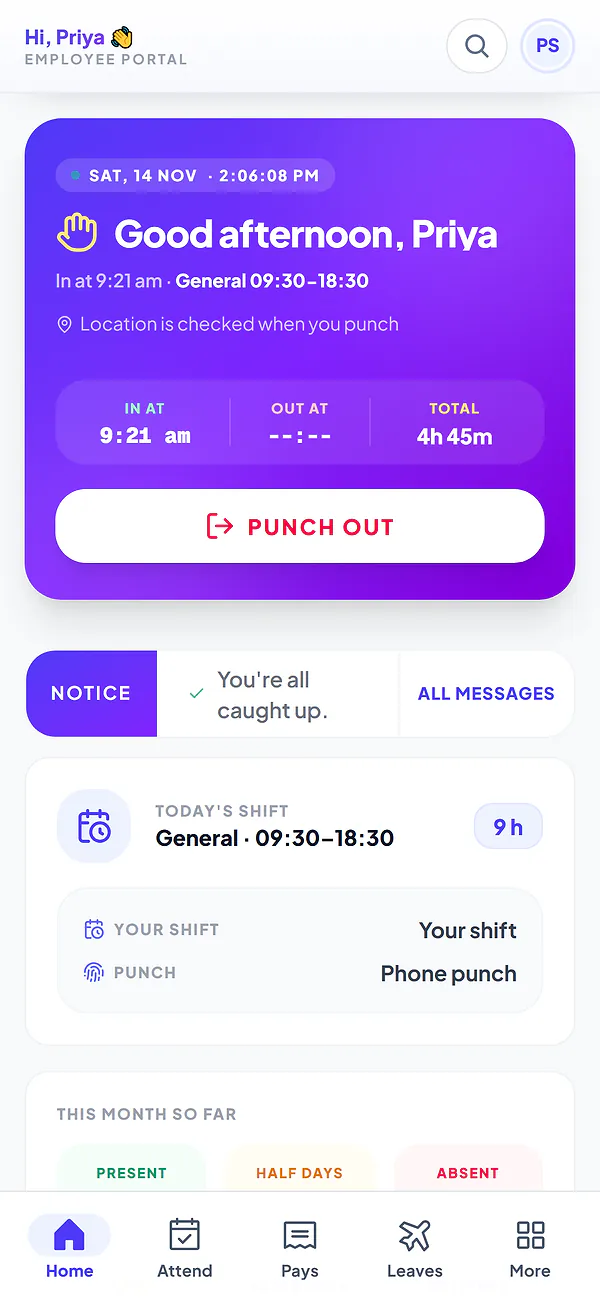
The shift you plan is the shift attendance is judged against, on the biometric machine, the face kiosk and the mobile app alike.
Shift templates
Set each shift's start and end time, grace minutes for late arrival and early leaving, and its breaks. Mark one shift as the company default.
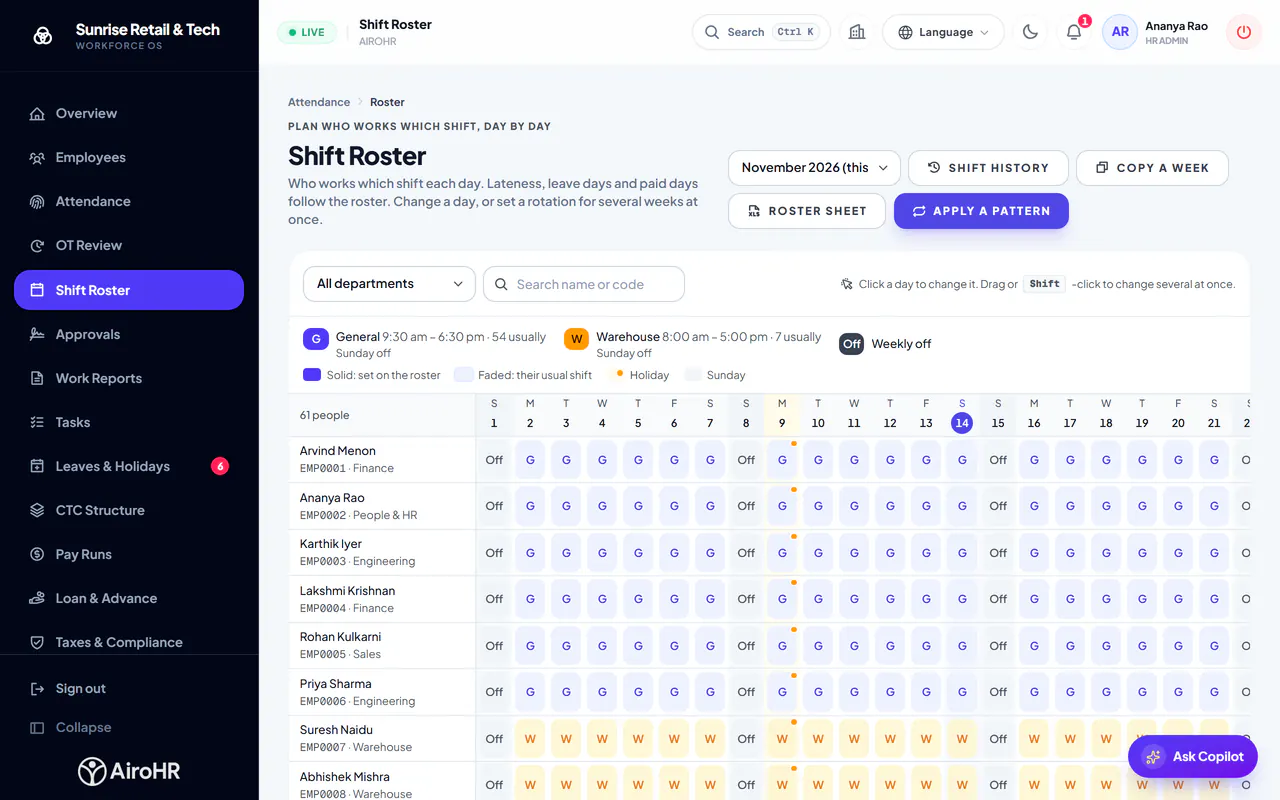
Weekly roster grid
Staff down the side, the week across the top. Put a shift or a weekly off in any cell, and that date-specific entry outranks the employee's usual shift.
Assign many at once
Give a shift to a whole team in one step, or move people between shifts on a drag-and-drop board.
Shift rotation
Build a rotation such as Morning, Evening, Night, add the team, and move everyone to their next shift in one click when the period ends.
Night shifts handled
A shift that starts at night and ends next morning is counted as one working day, for attendance and for pay.
Shift found from punches
When nobody has planned a shift for a person, AiroHR can work out the shift from their punch times before falling back to the company default.
Late, early and overtime rules
Late entry, early exit, break and overtime rules run on every day's punches, so fines and overtime are worked out the same way for everyone.
Weekly off work and comp-off
Work on a weekly off or holiday is banked. The employee or HR claims it as overtime or a comp-off day, and a manager approves.
Every change recorded
Each shift change keeps who made it, when, and whether it came from the roster, a bulk assign or a rotation.
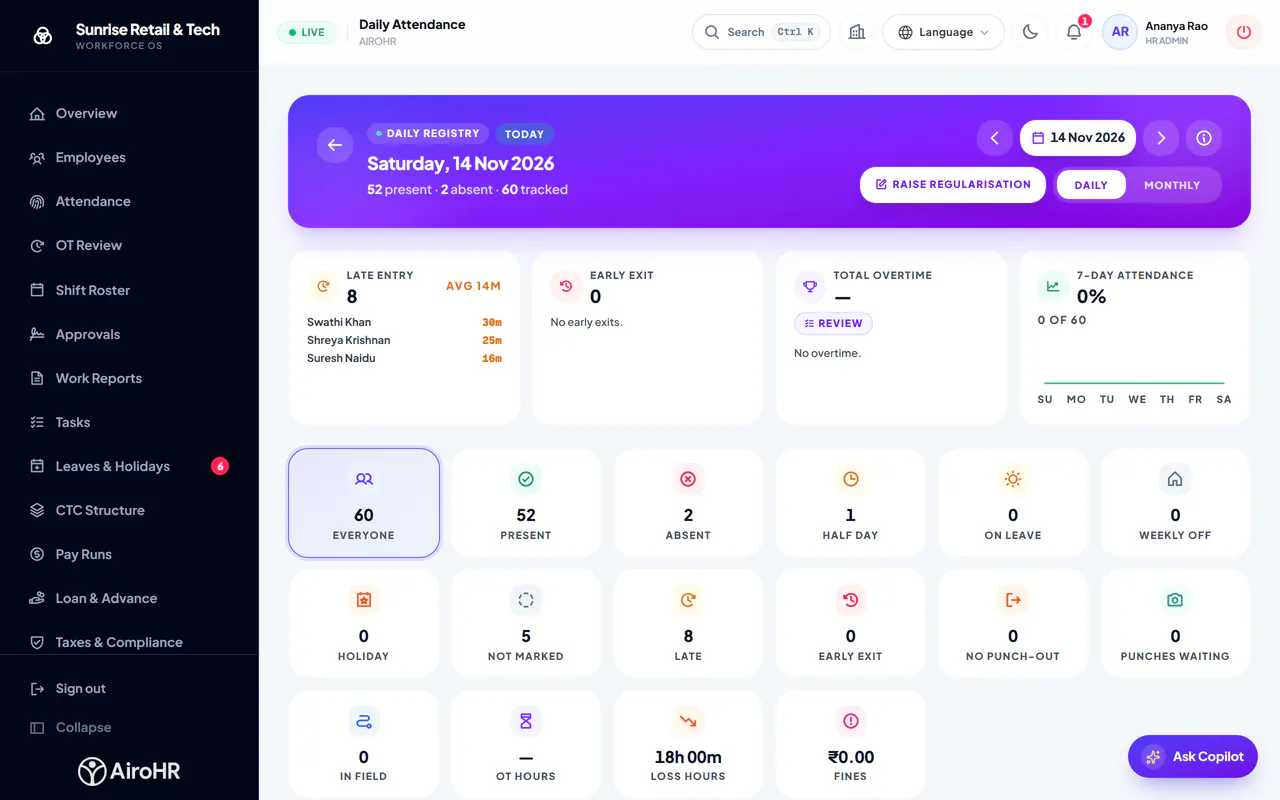
Late marks follow the shift
Daily attendance in AiroHR reads each person's shift: late entries, early exits and overtime against their own times. Shown for a demo company.
- Breaks and grace time per shift
- Shift rotation
- Change history
Real AiroHR screens, shown with a demo company and made-up data
Plan a month of shifts in four steps
Create your shifts
Add each shift with its timings, grace minutes and breaks.
Give staff their usual shift
Assign shifts in bulk, or set up a rotation for teams that change shifts.
Adjust the roster week by week
Change a person's shift or weekly off for any date on the roster grid.
Let payroll read it
Punches are judged against the planned shift, and payable days, overtime and fines reach the payroll run.
Built for factories, hospitals, security and retail
- Three-shift factories and 24x7 sites: see manufacturing and security agencies.
- Hospital duty rosters with night duty: see hospitals and clinics.
- Store staff whose weekly off changes week to week: see retail chains.
- Punches can come from a biometric machine, the face kiosk or the mobile app.
Why it matters for pay
- One rule for everyone: the roster decides what counts as late or overtime.
- Weekly off work is never lost: it is banked even if nobody claims it.
- Overtime and comp-off need a manager's approval, so neither side decides alone.
- Locked payroll months stay as paid.
Shift Scheduling questions, answered
What is the difference between a shift and a roster?
A shift is a timing, such as 9:30 to 6:30. The roster says which shift each person works on each date. In AiroHR a roster entry for a date outranks the person's usual shift.
Can AiroHR rotate shifts every week?
Yes. Create a rotation with its shifts in order and its period, add the team, and when the period ends HR moves everyone to the next shift in one click. Every move is recorded.
How are night shifts counted?
Check-in and check-out are paired across midnight, so a night shift counts as one working day for attendance, overtime and payroll.
What happens when someone works on their weekly off?
The day is banked automatically. The employee, or HR on their behalf, claims it as overtime or a comp-off day, and a manager approves. Unused comp-off follows your validity and lapse or encash setting.
Do shift rules affect salary?
Yes. Late entry, early exit and overtime rules work from the planned shift, and the resulting fines, overtime and payable days go into the payroll run.
This page describes AiroHR as of November 2026.
Plan your next roster on AiroHR
Book a demo and bring your current shift chart. We will show it in AiroHR.
Book a demo